


Workstation Sessions Protection
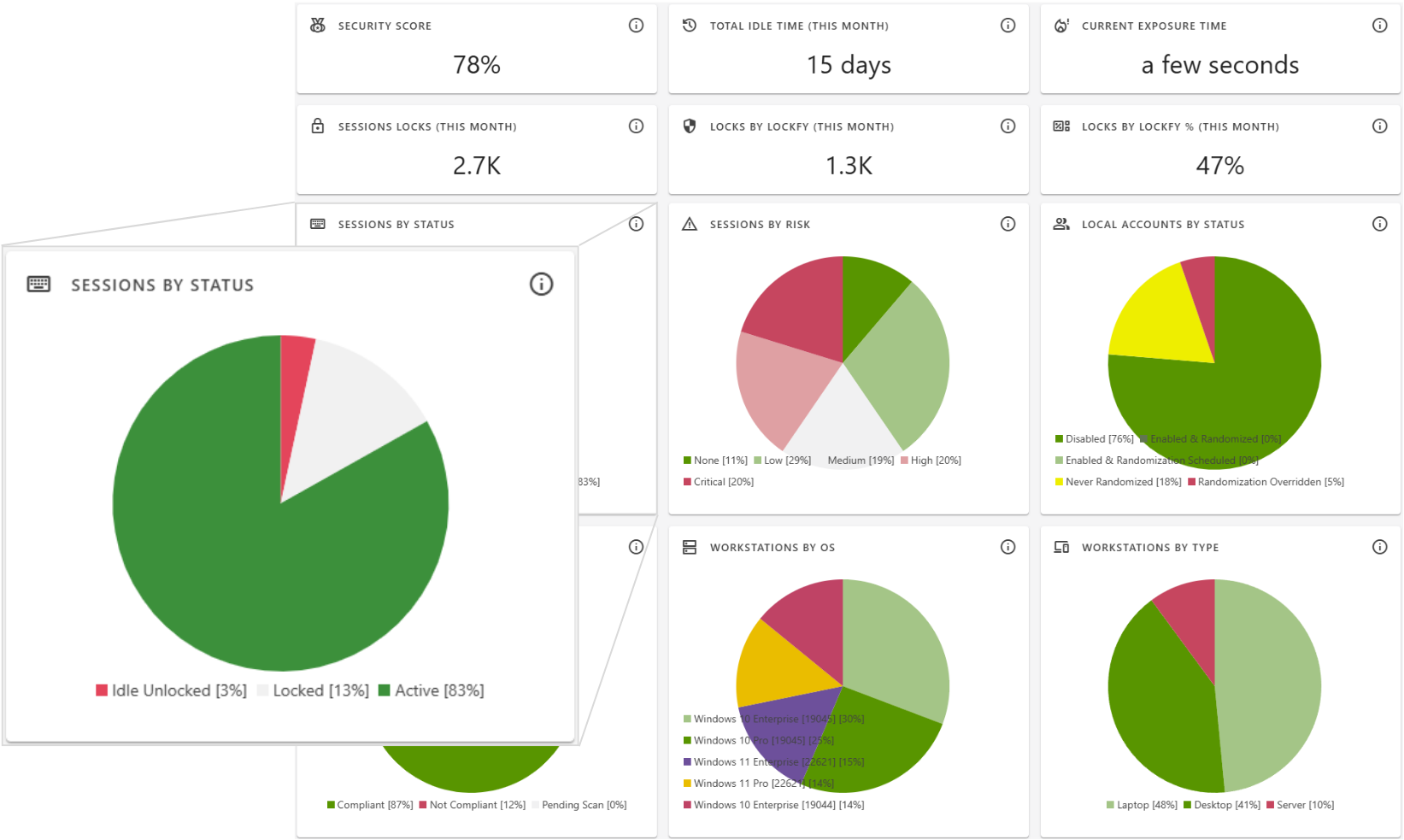
Always-On Protection for Every Workstation
Workstations are the front line of security. Whether in a control room, a corporate office, a hospital nursing station, or a university computer lab, unlocked sessions represent one of the most common and preventable security gaps. Lockfy Enterprise provides continuous session protection that ensures workstations remain secure without disrupting productivity.
How It Works
Lockfy monitors workstation sessions in real time, applying policy-driven controls that automatically protect endpoints based on user behavior, idle time, and organizational security requirements.
| Capability | Description |
|---|---|
| Real-Time Session Monitoring | Continuously tracks session state—active, idle, locked, or unlocked—across all managed workstations |
| Idle Detection | Automatically detects when a workstation becomes idle and applies configured lock policies based on duration |
| Policy-Driven Auto-Lock | Enforces custom lock policies by user role, workstation type, location, or time of day |
| Unlock Alerts | Sends immediate notifications when a workstation is unlocked, with configurable alerting for after-hours or sensitive environments |
| Session Audit Trail | Records complete session history including start time, lock time, lock duration, idle start, idle end, and session end |
| Override Governance | Allows time-limited overrides where operationally necessary, with every override logged and audited |
Session Activity Data
Lockfy captures comprehensive session data that provides complete visibility into how workstations are being used and protected:
| Data Point | Description |
|---|---|
| Session Start Time | When the user logged into the workstation |
| Lock Time | When the session was locked (manually or automatically) |
| Lock Duration | How long the session remained locked |
| Idle Start | When user inactivity was detected |
| Idle End | When user activity resumed |
| Session End | When the user logged out or the session terminated |
Key Benefits
| Benefit | Impact |
|---|---|
| Prevent Unauthorized Access | Eliminate the risk of sensitive data exposure from unattended workstations |
| Reduce Human Error | Automated protection ensures security even when users forget to lock |
| Consistent Enforcement | Apply uniform security policies across the organization regardless of user behavior |
| Complete Visibility | Know exactly when, where, and how workstations are being used |
| Operational Flexibility | Allow time-limited overrides where needed without creating security gaps |
Use Cases
| Industry | Application |
|---|---|
| Corporate | Protect sensitive business data on employee workstations |
| Healthcare | Secure EHR access on nursing station computers and clinical workstations |
| Manufacturing | Prevent unauthorized changes to production line HMIs and control systems |
| Government | Protect classified and sensitive information on public sector workstations |
| Finance | Secure trading floors, branch terminals, and back-office systems |
| Education | Protect student privacy in computer labs and faculty offices |
| Energy & Utilities | Secure control room SCADA consoles and field workstations |
Ready to Protect Your Workstations?
Learn how Lockfy Enterprise can provide always-on session protection for your organization.
Ready to Protect Your Workstations?
Book a DemoLearn how Lockfy Enterprise can provide always-on protection for your organization.